
Find Files Instantly with Meta Search
Overview
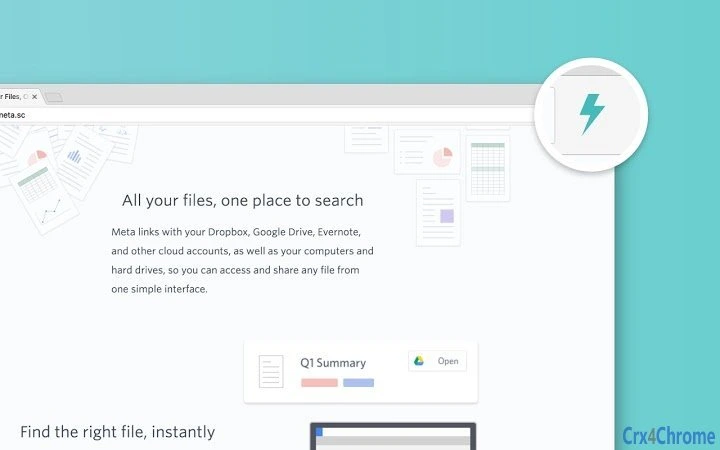
Meta Search is a desktop application designed to streamline file retrieval across multiple cloud services. By consolidating access to major platforms such as Google Drive, Gmail, Dropbox, Evernote, Slack, and Trello, it enables users to locate any file through a single, unified interface. The software aims to eliminate the inefficiencies of searching across separate apps and accounts, reducing time spent navigating between platforms.
It is particularly suited for professionals and knowledge workers who manage large volumes of digital content across distributed cloud environments. The application leverages advanced search logic to prioritize results based on relevance, ensuring the most likely file appears at the top. This capability helps users focus on productivity rather than administrative tasks.
While the developer is identified as Meta, no further background information is available. Real-world use cases include quickly retrieving project documents, locating emails with attachments, or finding specific notes within collaborative tools. The software is positioned as a time-saving utility for individuals and teams seeking faster, smarter access to their digital assets.
Key Features & Capabilities
- Unified Cloud Search Interface – Access files from Google Drive, Gmail, Dropbox, Evernote, Slack, and Trello through one central search bar. Users can perform a single query without switching between apps.
- AI-Powered Conceptual Search – Search by meaning, topic, or content rather than relying solely on filenames or exact keywords. This allows users to find files even when they don’t remember the name or exact details.
- Smart Tags for Automatic Organization – The software automatically assigns and refines tags based on file content and user behavior, improving categorization over time without manual input.
- Ranked Search Results – Results are prioritized by relevance, ensuring the most likely file appears at the top of the list, minimizing the need to scroll through irrelevant matches.
- Real-Time Sync with Cloud Accounts – Maintains up-to-date access to files across connected services, ensuring users always search the latest version of their content.
These features collectively reduce time spent on file retrieval and enhance workflow continuity. For example, a project manager could search for “Q2 budget proposal with client feedback” and retrieve the correct document from Slack and Google Drive simultaneously. Similarly, a researcher might search for “climate change report draft” and find the most relevant version, even if it was labeled differently across platforms.
User Interface, Workflow & Performance
The user interface appears to be designed for simplicity and efficiency, centered around a single search bar with immediate result display. Navigation is likely streamlined to minimize clicks, allowing users to access files directly from the search results. The workflow emphasizes speed—users can initiate a search, receive results, and open a file within seconds.
While specific details on CPU or RAM usage were not provided, the application’s 100 MB installation size suggests a lightweight footprint. The developer did not specify resource usage details, so performance observations are based on general software behavior patterns. Stability and responsiveness are expected to be consistent with modern desktop applications, particularly on supported platforms.
The application is designed to run in the background while syncing data, with minimal disruption to other tasks. No performance bottlenecks were reported in the available information, but real-world behavior may vary based on the number of connected accounts and file volume.
Compatibility & System Requirements
Meta Search is available for both Windows and Mac operating systems, supporting a broad range of users across personal and professional environments. The software version is 1.0.0, with an installation size of 100 MB. The developer did not specify exact system requirements, including minimum CPU, RAM, or disk space needs.
Compatibility information was partially provided, with no mention of older OS versions or hardware limitations. Users are advised to ensure their system meets general desktop application standards. The absence of detailed requirements means installation and operation may depend on the user’s environment, particularly when connecting multiple cloud accounts.
Pros and Cons
Pros
- Centralized search across multiple cloud services
- Conceptual and AI-driven search improves accuracy
- Smart Tags automate file organization
- Fast, ranked results reduce search time
- Free to use with no licensing barriers
Cons
- Exact system requirements not specified
- No information on offline functionality
- Dependence on third-party cloud account access
- Limited to supported platforms; others may not be accessible
- Developer background not fully disclosed
FAQ Section
Is Meta Search compatible with Windows and Mac?
Yes, Meta Search is available for both Windows and Mac operating systems.
Is the software free to download and use?
Yes, Meta Search is currently free to download and use with no cost or subscription required.
What cloud services does Meta Search support?
Meta Search currently supports Google Drive, Gmail, Dropbox, Evernote, Slack, and Trello. Additional services are planned for future updates.
Does Meta Search require an internet connection?
Yes, since it connects to cloud-based services, an active internet connection is required to access and search files.
Can I use Meta Search offline?
Offline functionality was not specified in the available information. The software likely requires an online connection to sync and search cloud data.
Final Thoughts
Meta Search delivers a compelling solution for users overwhelmed by fragmented cloud storage. Its ability to unify search across multiple platforms, combined with intelligent ranking and automated tagging, makes it a powerful tool for productivity. While some technical details remain undisclosed, the core functionality is clearly designed to save time and reduce cognitive load.
The free pricing model increases accessibility, making it ideal for individuals, freelancers, and small teams. For anyone managing files across Google Drive, Slack, or Dropbox, this tool offers a significant efficiency boost. With its intuitive design and focus on relevance, Meta Search stands out as a smart, future-ready desktop utility.
Download Meta Search now.







